
WindaLearn
Words you keep meaning to learn, put in front of you every 30 minutes
WindaLearn is a flashcard app for the words you keep looking up. Add a word and its translation; every half hour a small window appears with the front, you reveal the back and answer “I know” or “I don’t”. Five right answers and a card is done, and the next new one moves in. Free, on Windows and macOS, and the deck is a file on your own machine — synced through your own Google Drive if you want it on two.
- Built for
- Language learners, People working in a second language, Anyone memorising terms
- Runs on
- Windows and macOS
- What was done
Built with
- App
- Sync
- Distribution
The challenge
Everyone working in a second language has a list of words they keep looking up. It lives in a notes app, a chat with themselves, the margin of a notebook — and it is never in front of them at the moment there is a minute to learn it.
- Flashcard apps want you to open them; the list grows faster than the habit.
- Big decks bury the ten words that matter this week under hundreds that do not.
- Cloud services own the deck, the account and the schedule.
The approach
WindaLearn turns the list into a timer. Every 30 minutes a small window appears with one word; press space, see the answer, say whether you knew it, and it is gone. Ten cards stay in rotation until each has been answered right five times, then the next ones move in. The deck is a file on your machine — and, if you want it on two machines, it syncs through your own Google Drive with no account in between.
- A card every 30 minutes, on top of whatever you are doing
- Ten words in rotation; five “I know” answers retires one
- Your deck is a local file, synced only through your own Drive
- Free, on Windows and macOS
Four steps, no manual
-
Add the words
Front, back, save. Add them as they come up, or sit down with the week’s list.
-
Keep working
Every 30 minutes a card appears over whatever you are doing. Space to reveal.
-
Answer honestly
“I know” counts toward five; “I don’t know” keeps the card in rotation. Either way it is gone in a second.
-
Watch them retire
Five right answers and a card moves to Done; the next new word takes its slot. Sync if you use two machines.
What it looks like
What it does
-
The popup
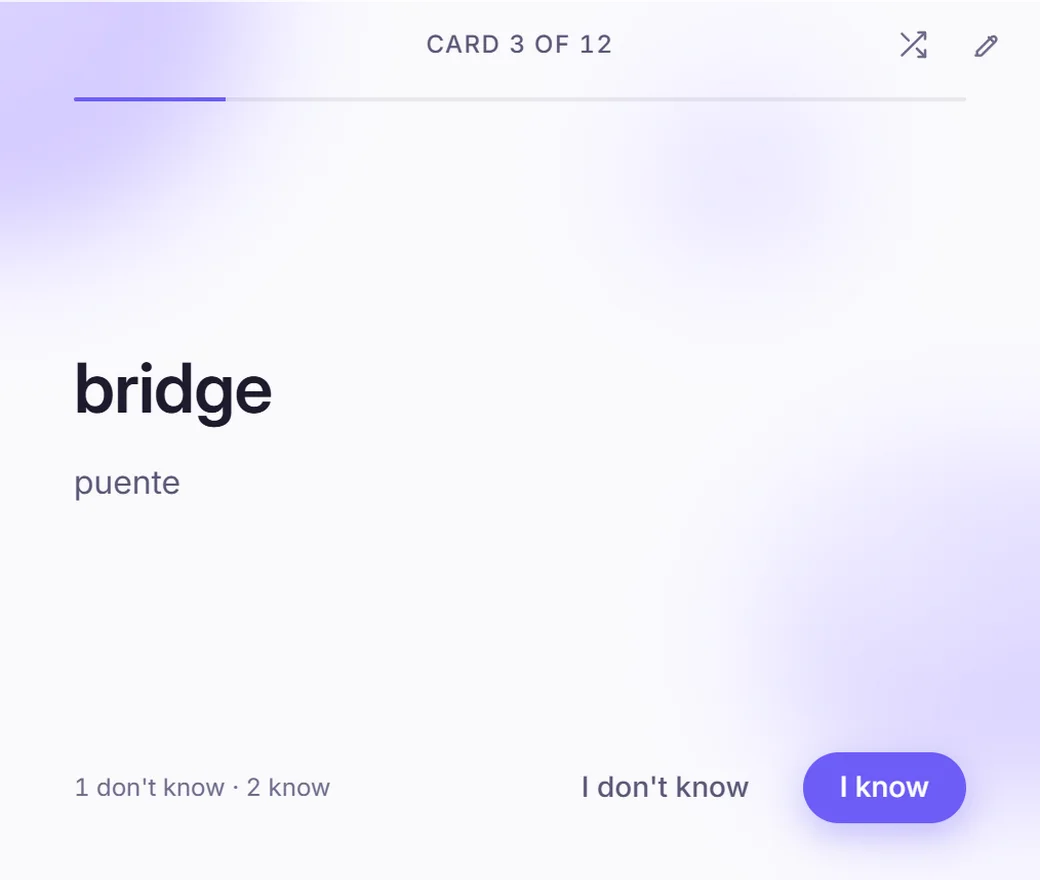
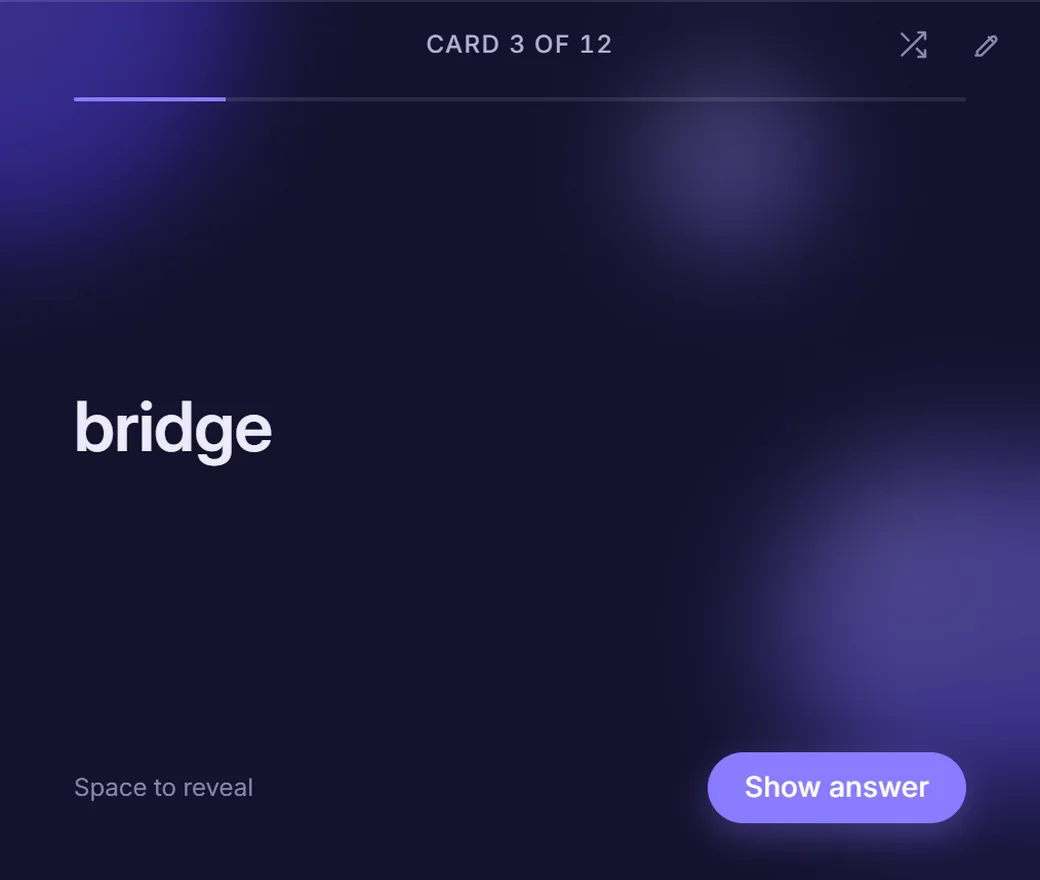
A small window with the front of one card. Space reveals the back, “I know” or “I don’t know” closes it, and a progress bar shows where you are in the session.
-
Ten in rotation
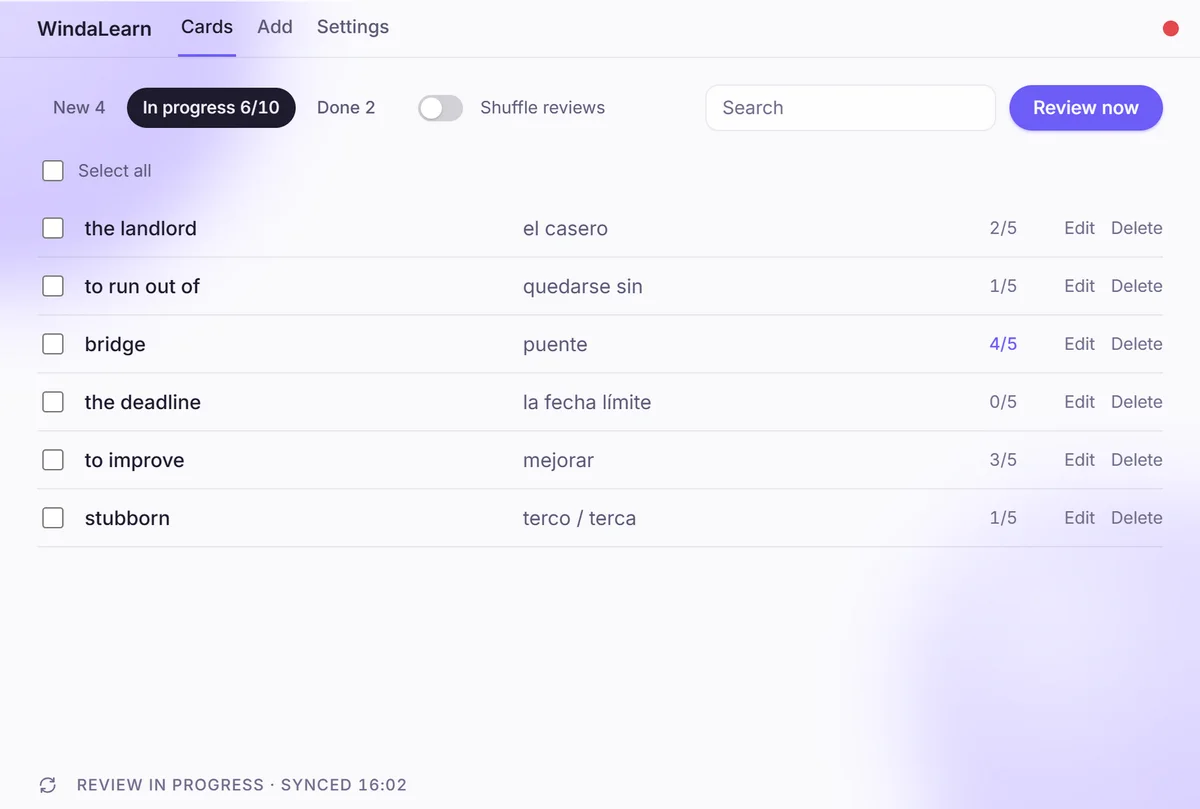
Cards move from New to In progress to Done. Only ten are in play at once, each needs five right answers, and the next new card takes a finished one’s place.
-
A proper card editor
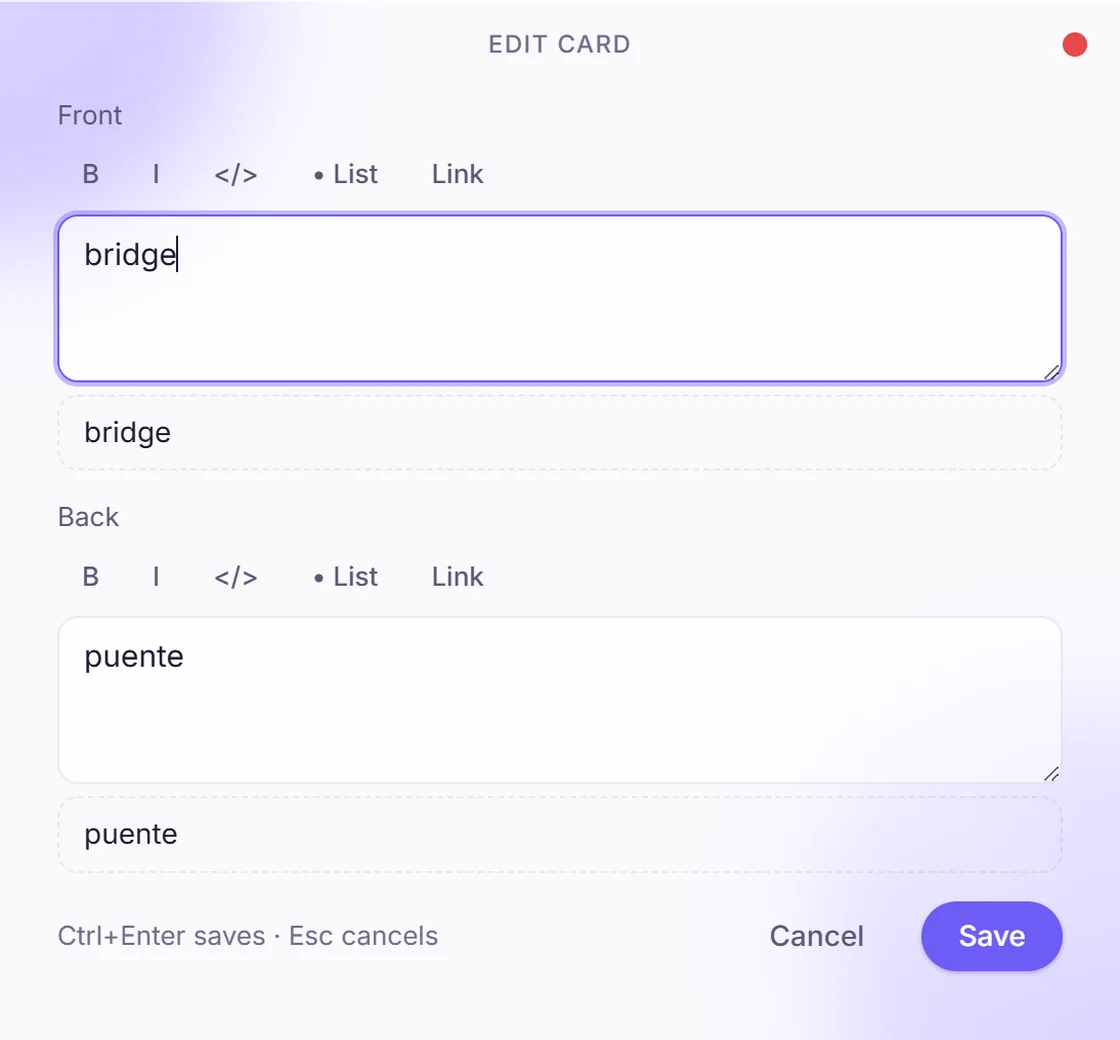
Front and back with bold, italic, code, lists and links, a live preview under each, Ctrl+Enter to save — for grammar notes and example sentences, not only single words.
-
Manager with search and shuffle
The whole deck in one list with each card’s score, filters for New / In progress / Done, search, bulk select, and a shuffle toggle for review order.
-
Sync through your own Drive
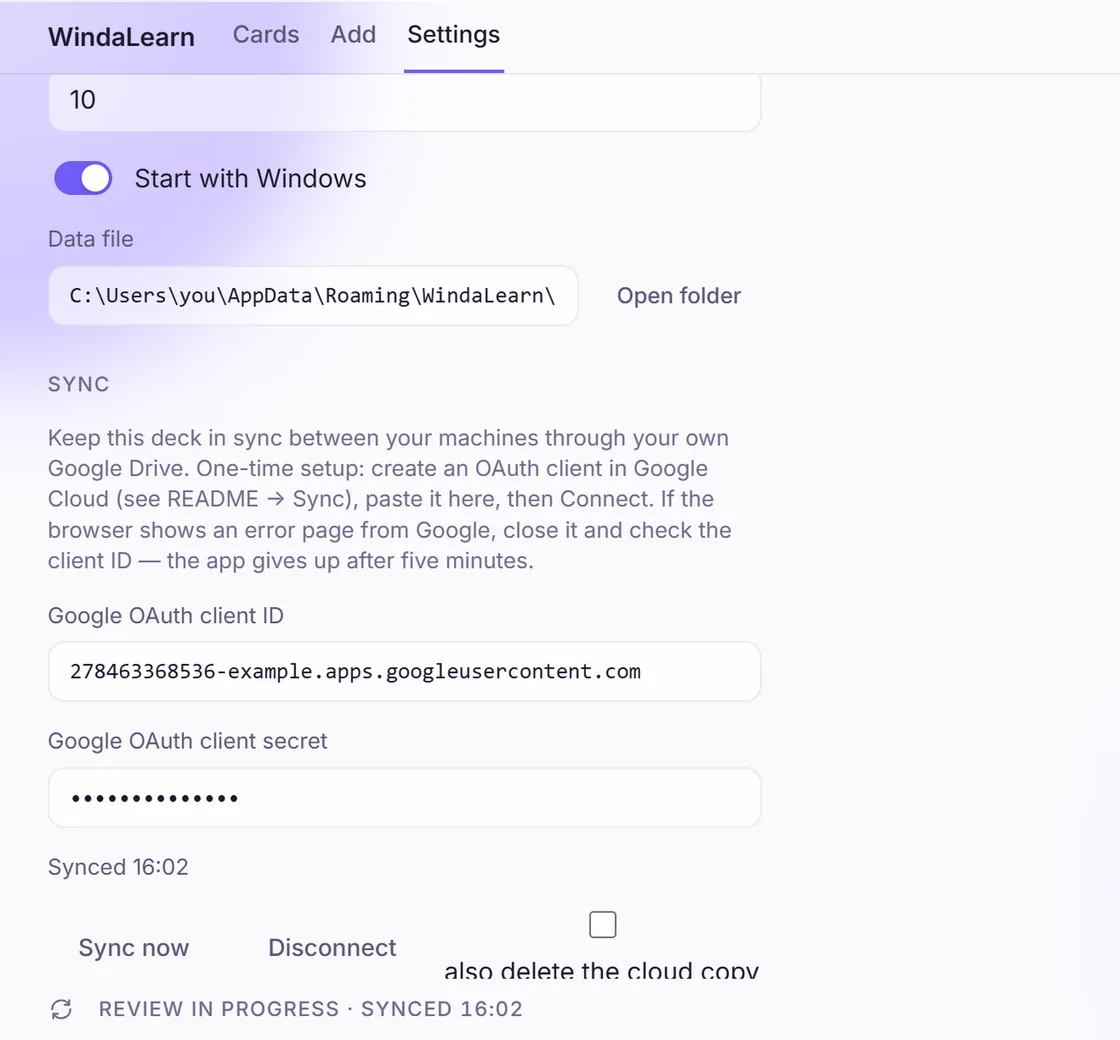
Paste your own Google OAuth client, connect, and the deck file follows you between machines. Nothing passes through a Releasium server; disconnect deletes the cloud copy if you ask.
-
Lives in the background
Starts with your computer and stays out of the way between reviews. The data file is a path you can open — plain enough to back up yourself. Light and dark themes.
Who uses it, and for what
-
Working in a second language
The words from this week’s meetings
The term a colleague used, the phrase from the client email — into the deck as they happen, back in front of you every half hour until they stick.
-
Language learners
Vocabulary from a course
Ten words a week from the textbook is a schedule the popup can keep for you; the course app cannot interrupt your day, and that is the point.
-
Students
Exam terms and definitions
Anatomy, case law, the periodic table — the editor takes lists and code, so the back of a card can be a definition, not only a translation.
-
Desk and laptop
Two machines, one deck
Connect both to the same Google Drive and the deck, scores and progress travel with you. No account to create, no server to trust.
Common questions
Is it free?
Yes. Download the installer or the portable build and use it; there is no account, subscription or upsell.
Which systems does it run on?
Windows and macOS. On Windows there is an installer and a portable build; take whichever suits you.
Where is my data?
In a file in your user folder — Settings shows the path and opens it. If you turn on sync, a copy lives in your own Google Drive, nowhere else.
Why does sync need my own Google OAuth client?
Because the app talks to your Drive directly, with nothing of ours in between. Creating the client in Google Cloud is a one-time step; the README walks through it.
How many cards are in rotation?
Ten at a time. Each needs five “I know” answers to move to Done, and the next new card takes its place.
Try WindaLearn
Free to download, on either platform. Or talk to us about building something similar for your team.